Define the statement schema.
Choose the account fields, balance fields, transaction columns, and relationships your downstream workflow needs.
Bank statement parser
Turn digital, scanned, and authorized password-protected statements into connected account, statement, and transaction records.
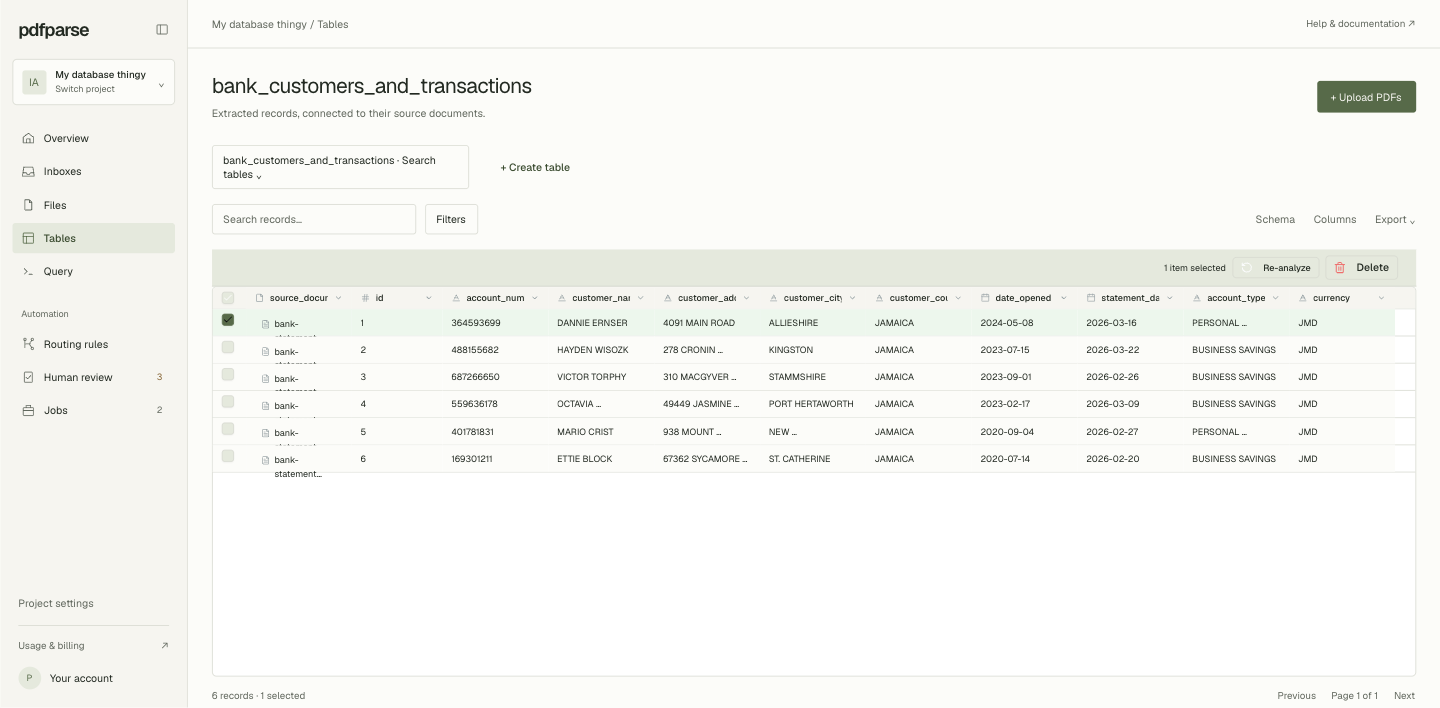
From statement pages to connected rows
Product mockup · synthetic statement data
Built for statement data
Choose the account fields, balance fields, transaction columns, and relationships your downstream workflow needs.
Run the same schema across banks and statement formats, including multi-page tables and wrapped transaction descriptions.
Keep every account and transaction tied to its PDF so dates, debits, credits, and balances can be checked before export.
Filter transaction history, reconcile balances, and export connected records as SQLite, CSV, JSON, or XML.
Bank statement guides
Build related statement and transaction tables, separate credits from debits, and reconcile the closing balance.
Read article ↗Combined ledger guideBring statements from multiple banks into one transaction ledger, preserve source records, and review accounts across months.
Read article ↗Credit card workflowReview a complete workflow for statement tables, source verification, and clean CSV or JSON exports.
Read article ↗A relational result
Institution, account holder, masked identifier, account type, and currency.
Statement period, opening balance, closing balance, and the linked account.
Dates, descriptions, references, debits, credits, and running balances.
Common questions
Define the schema, process one representative statement, and review the connected records before you scale the workflow.