SQLite
Query, filter, and join extracted records across documents.
Explore PDF to SQLite ↗PDF extraction, built around your schema
Define the fields and schema you need. PdfParse extracts matching data from your PDFs and exports it to SQLite, JSON, or CSV — no manual re-entry.
20 pages total · No credit card required
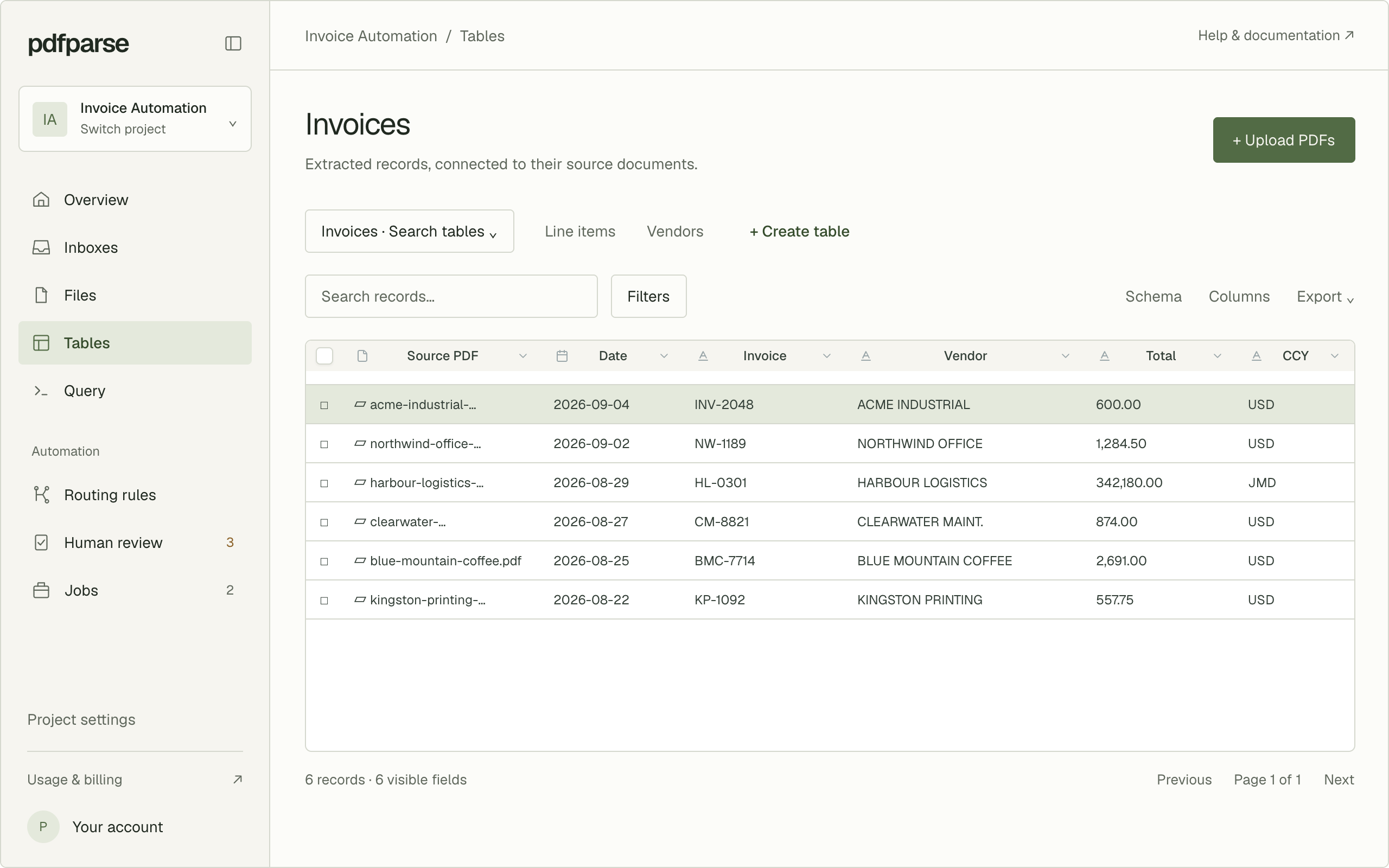
Works with the documents you already have
Define a schema once, then run it against every document in that format. PdfParse extracts the fields you specify and keeps related records connected with parent/child relationships
Email inboxes
Forward PDF attachments to a PdfParse inbox and turn them into structured records in your project tables. Set up automatic forwarding to keep new documents flowing—without downloading and uploading every file.
Explore email inboxes ↗Invoice for your September order
Forwarded to your Accounts payable inbox
invoice-1048.pdf
1 attachment
Received
Your schema, applied automatically
Invoices
1 record extracted
Invoice
Vendor
Total
INV-1048
Northstar Supply
$151.20
Give each team or document source its own address, with records in the same project.
Allow specific senders or domains, and pause an inbox whenever you need to.
See what arrived, check processing status, and open the source PDF.
Routing rules
Describe how a document should be routed in plain language, and set a confidence threshold for the decision. PdfParse applies the rule automatically when it's confident, and flags the rest.
Explore routing rules ↗Human review
Routing rules and extraction don't always have a confident answer — and shouldn't act like they do.
When a document doesn't confidently match a routing rule, or an extraction fails, it goes to a human review queue where your team decides what happens next.
Explore human review ↗Export in the format your workflow needs
Define your fields once. Send the extracted data to SQLite, JSON, or CSV depending on what you're building.
Query, filter, and join extracted records across documents.
Explore PDF to SQLite ↗Get consistent keys and nested records you can drop into an API or pipeline.
Explore PDF to JSON ↗Bring extracted rows straight into a spreadsheet.
Explore PDF to CSV ↗How it works
Keep the source document beside its extracted records and preserve parent-child relationships from review through export.
Create the fields and related tables your documents should populate.
Upload one file or a batch and reuse the same schema across every document.
Check records beside the source PDF, then download CSV, JSON, or SQLite.
Build on the API
Use the same document, schema, job, and row model from your own application. Start interactively, then move repeatable work into an integration without rebuilding the extraction logic.
Read the API documentation ↗Submit document batches as extraction jobs
Query structured rows with filters and pagination
Use project-scoped API keys for integrations
Generate typed clients from the OpenAPI specification
Pricing
Start with 20 free pages. Every plan includes extraction, inboxes, routing, review, and exports. Upgrade when you need more pages and storage.
Free
Try a complete document workflow on your own PDFs.
No credit card required.
Basic
Process documents regularly with room to grow.
Monthly page allowance.
Pro
Handle larger monthly document volumes.
Monthly page allowance.
Enterprise
Process high volumes with more storage.
Monthly page allowance.
The free plan includes a one-time page allowance. Paid page allowances renew monthly. Prices shown in USD.
Included in every plan
Define your own fields and related tables, then extract structured data from PDFs.
Upload PDFs, send attachments to a project inbox, or connect through the API.
Send each incoming PDF to the right destination and extraction schema.
Separate a PDF into logical sections, then process each section independently.
Check extracted records against their source pages and resolve documents that need attention.
Query your tables, export CSV or JSON, or download a SQLite database.
REST API · TypeScript SDK · Webhooks · MCP
Project-scoped API keys for integrations. OAuth consent for MCP connections.
Notes on document automation
A closer look
Data formats guide
Compare flat exports, structured payloads, and queryable databases so each extraction lands in the format your next workflow needs.
Invoice automation
Build a repeatable workflow for invoice fields and line items, including validation before data reaches downstream systems.
Bank statement guide
Turn statement headers and repeating transactions into structured records while preserving the source for review.
Questions, answered
A few practical details about extraction, exports, and getting started.
Have a different question? Contact us ↗The Free plan includes 20 pages total,50 MiB of storage, and custom extraction schemas. Create an account and verify your email to get started. No credit card is required, and the free page allowance does not reset each month.
Start with your own documents
Define the fields you need, extract your PDF data, and review the results before choosing a paid plan.
Just exploring? Try the PDF-to-CSV demo ↗One-time free allowance. No credit card required.