
A supplier sends you a folder of product sheets. One describes an office chair, another a monitor, and another a desk lamp. You can ask a generic AI tool to extract each document as JSON, but the results will not necessarily share the same shape.
That flexibility is useful for product details that naturally vary. It becomes a problem when your team needs to compare prices, suppliers, package sizes, or minimum order quantities across the entire catalog.
PdfParse lets you use both approaches in one dataset: keep irregular product attributes in JSON, and store important repeating offerings in a related child table.
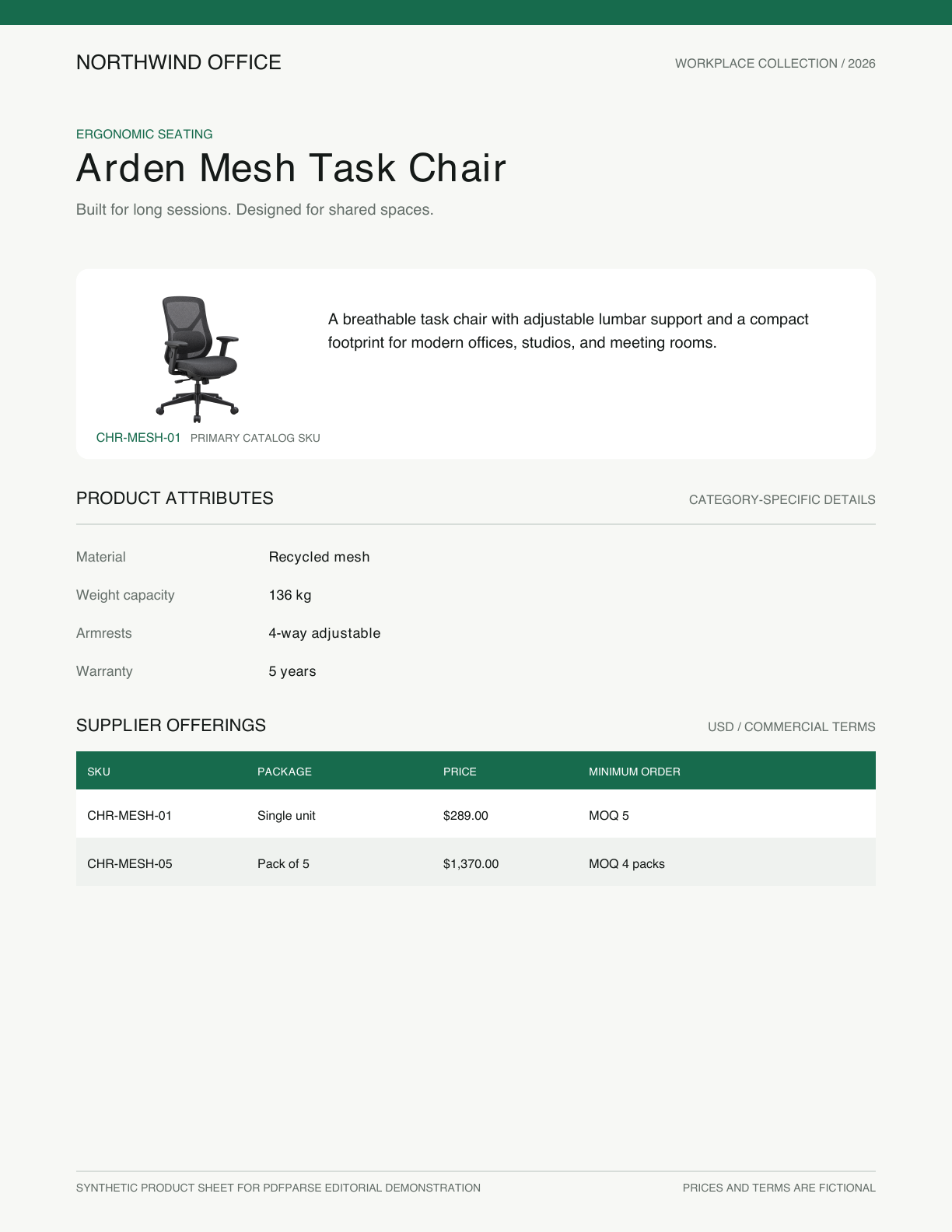
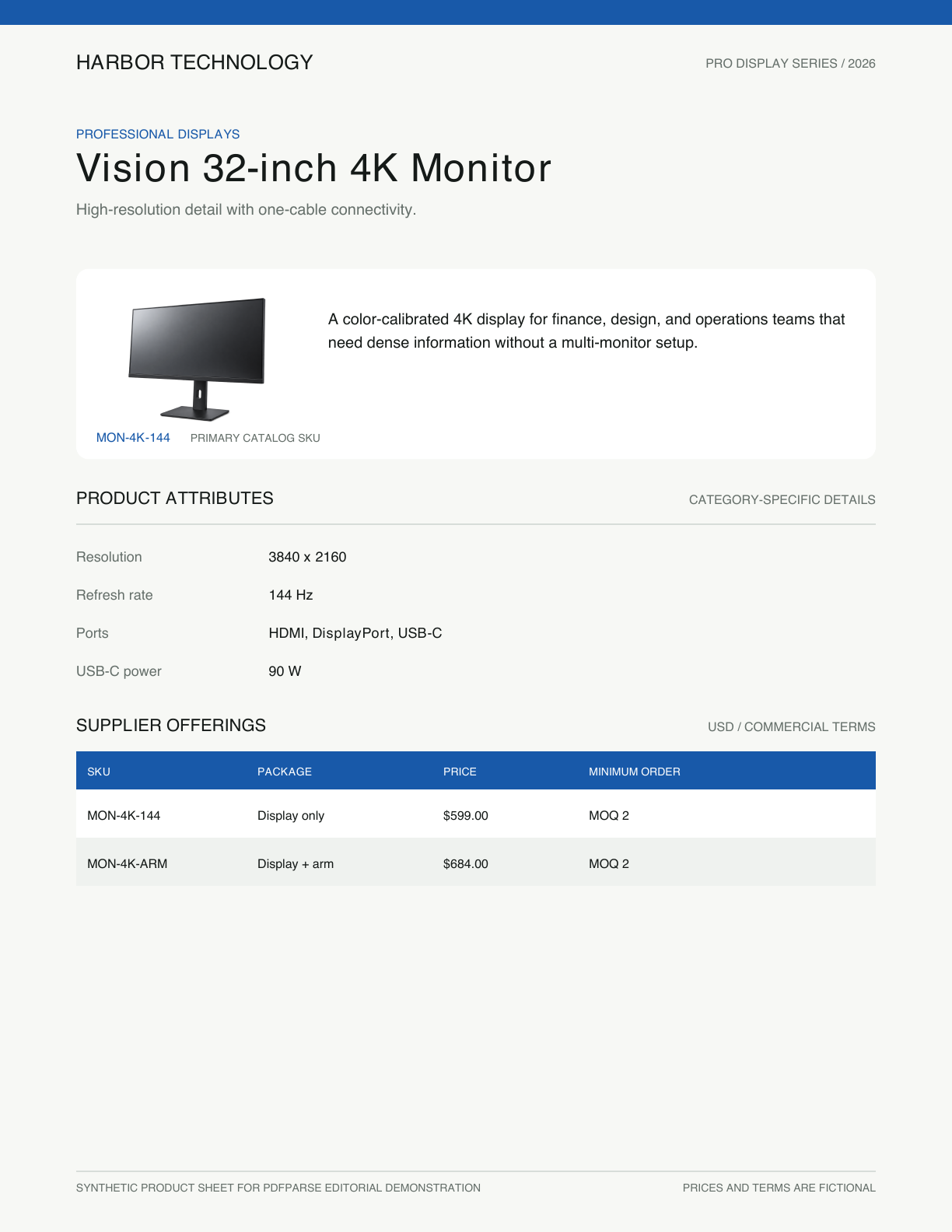
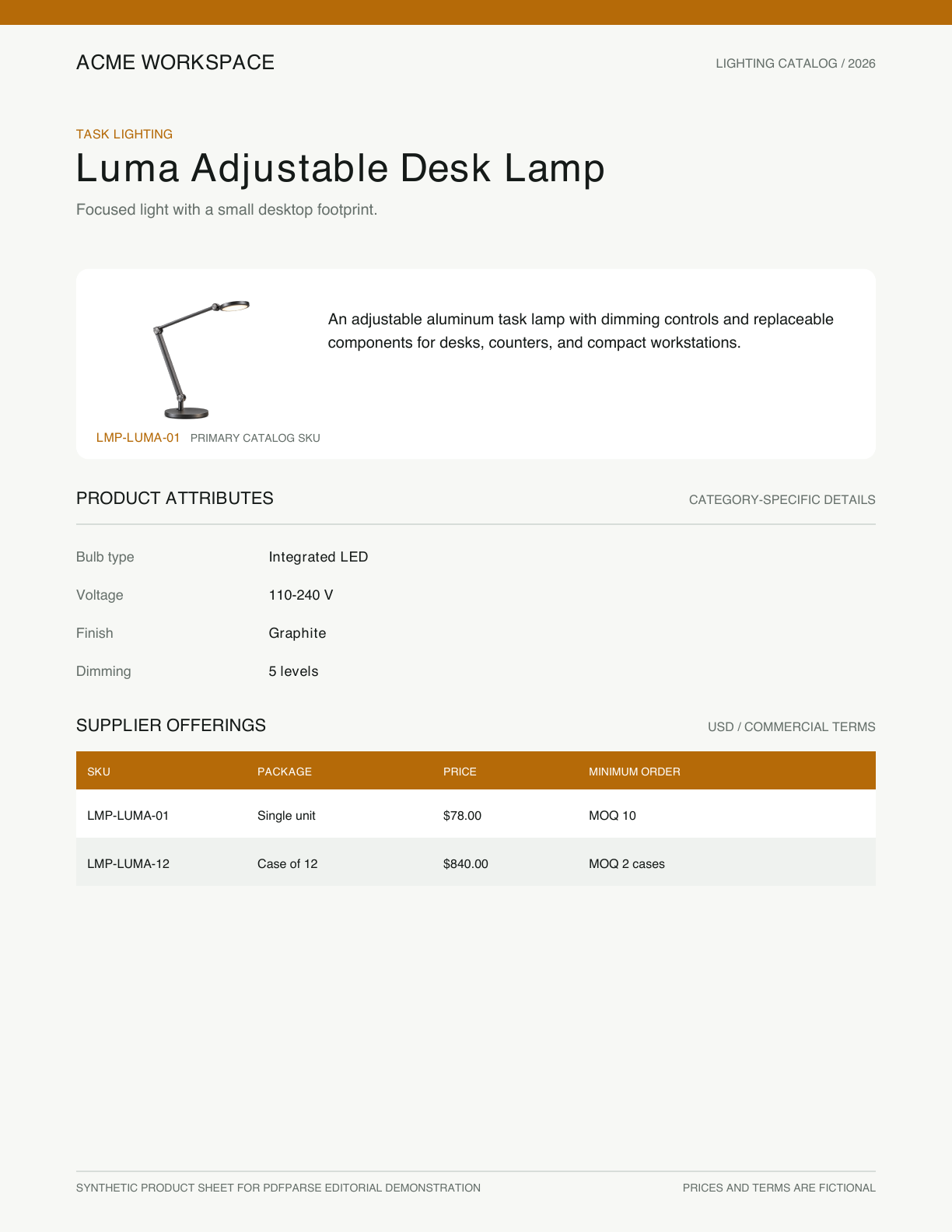
Open the original single-page PDFs: office chair, 4K monitor, and desk lamp.
One catalog contains two kinds of data
Each product category has different technical attributes. A chair has a material and weight capacity, a lamp has a bulb type and voltage, and a monitor has a resolution and refresh rate.
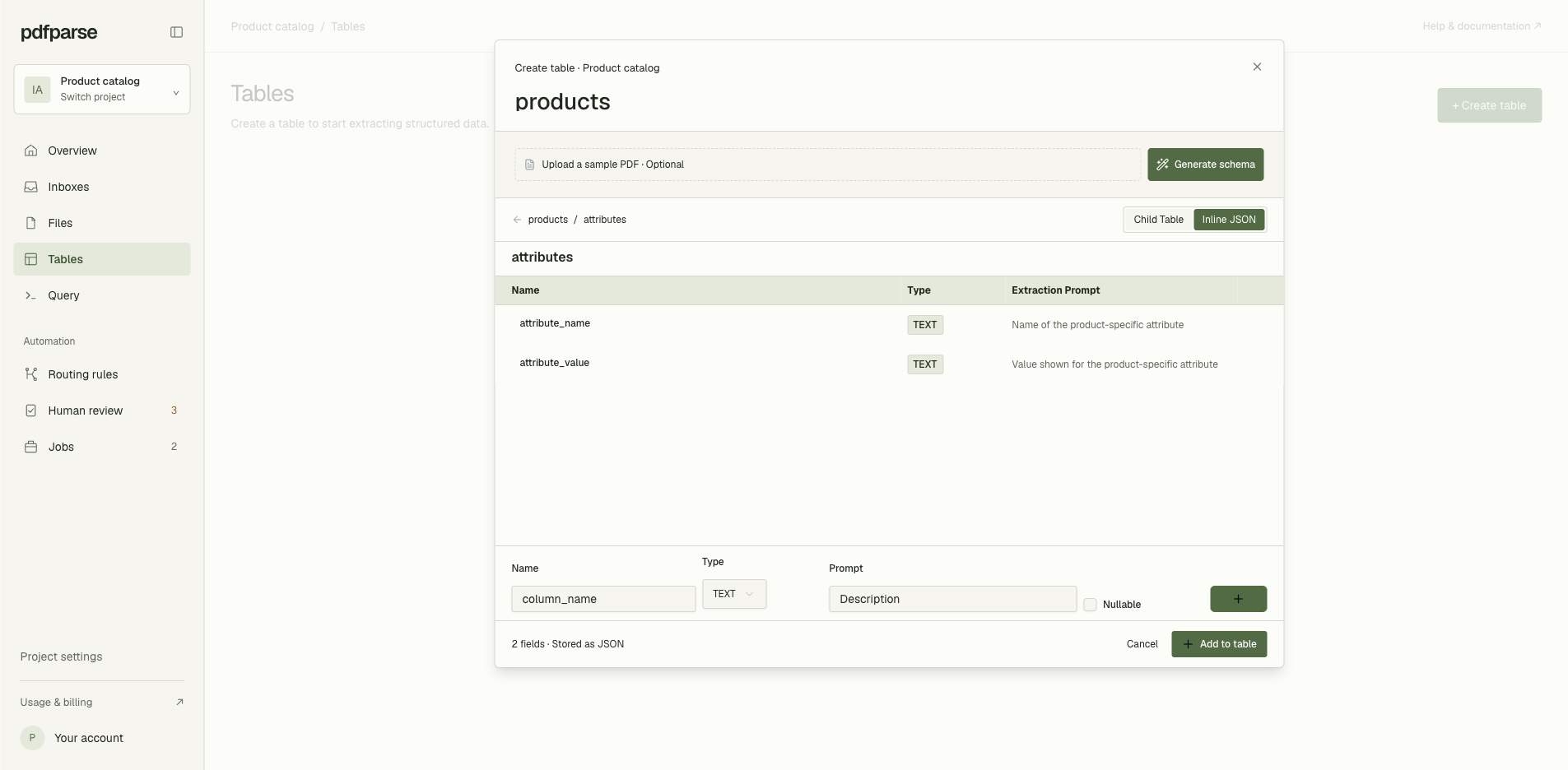
Forcing every possible attribute into the main products table creates dozens of columns that apply to only a few records. Instead, those category-specific details can stay together in an attributes JSON field.
Commercial offerings are different: their structure stays consistent across product categories. Each product may have several SKUs or package options, with a supplier, unit price, currency, and minimum order quantity for each one. These values are useful across the entire catalog.
That makes them a better fit for an offerings child table.
Use JSON for details that vary by document
JSON works well when a group of related details should remain attached to one record but the available keys may change.
Another product can use the same attributes field without adding chair-specific columns to the main table:
This keeps optional metadata compact and preserves the context in which those values belong.
If your team needs to filter, compare, join, or export individual values across hundreds of products, store those values as first-class rows in a child table.
Use a child table for records you need to compare
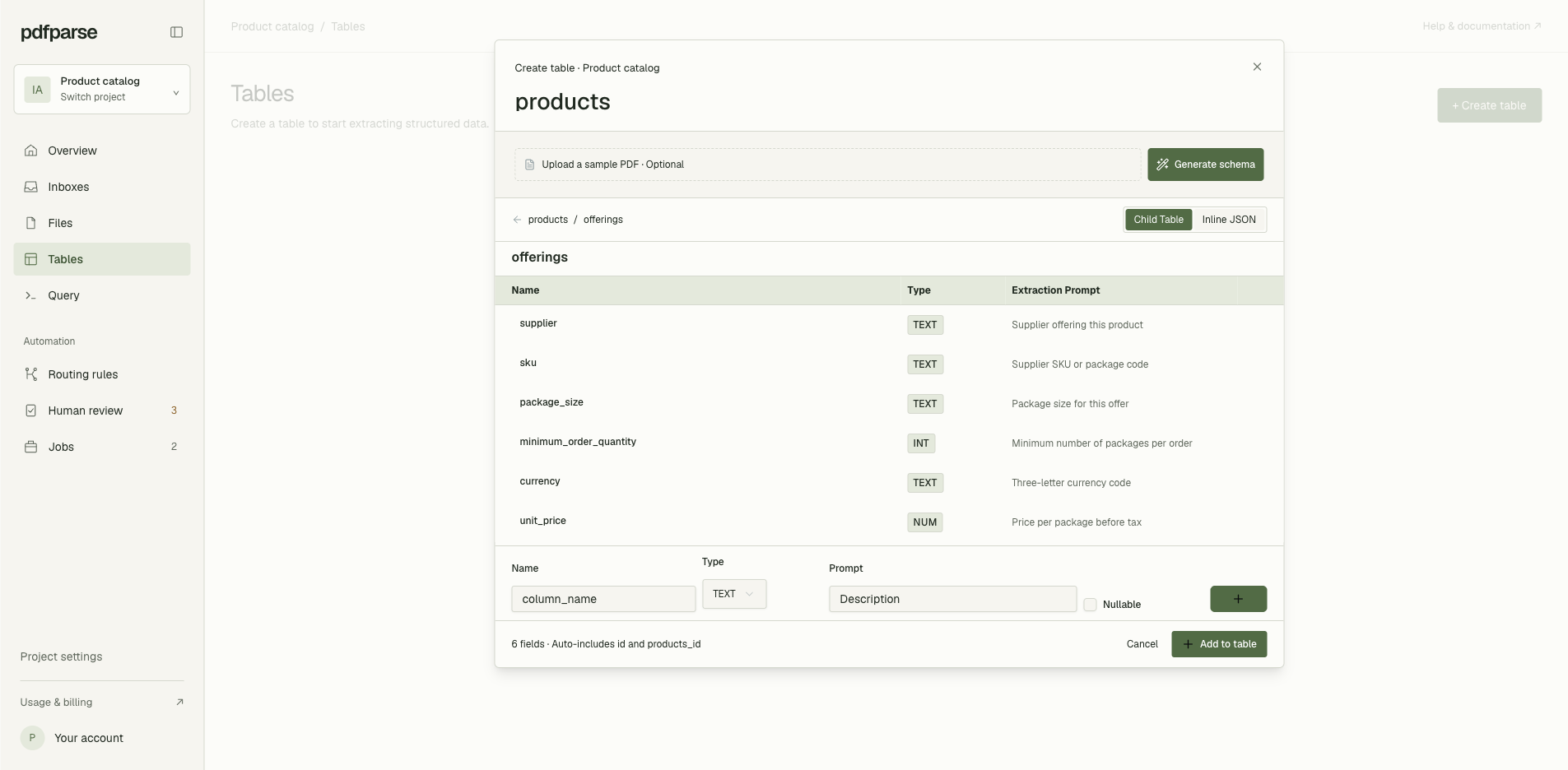
The offerings table gives every supplier offer the same columns:
product_id | supplier | sku | package_size | minimum_order_quantity | currency | unit_price |
|---|---|---|---|---|---|---|
| 1 | Northwind Office | CHR-MESH-01 | Single unit | 5 | USD | 289.00 |
| 1 | Northwind Office | CHR-MESH-05 | Pack of 5 | 4 | USD | 1,370.00 |
| 2 | Harbor Technology | MON-4K-144 | Display only | 2 | USD | 599.00 |
| 2 | Harbor Technology | MON-4K-ARM | Display + arm | 2 | USD | 684.00 |
| 3 | Acme Workspace | LMP-LUMA-01 | Single unit | 10 | USD | 78.00 |
| 3 | Acme Workspace | LMP-LUMA-12 | Case of 12 | 2 | USD | 840.00 |
package_size preserves whether the offer is a unit, pack, or case, while minimum_order_quantity keeps the required package count as an integer.
Each offering remains linked to its parent product while also becoming part of one queryable dataset. Your team can filter by supplier, compare prices, calculate minimum-order costs, or export the rows to Excel without unpacking a different JSON response for every product.
Use JSON and child tables together
The final catalog does not need to choose one format for everything:
The parent table stores the product identity. JSON keeps category-specific attributes together. The child table turns repeated supplier offerings into rows that can be compared across the catalog.
This structure gives back-office teams flexibility without sacrificing the predictable data they need for procurement, reporting, and reconciliation.
Query offerings across the catalog
Because offerings are stored as rows, one query can compare suppliers and prices across every product sheet:
The result can be filtered further, joined to other tables, or exported for Excel without first reshaping a different nested array from every document.
How should you choose?
Use inline JSON when:
- The fields vary significantly between documents
- The values are normally read together
- You do not need to compare every nested value across the dataset
Use a child table when:
- Every repeated record follows the same structure
- You need to filter or aggregate records across documents
- The data will be exported to a spreadsheet or another database
- Each record must retain its relationship to a parent product
Use both when your documents contain irregular descriptive metadata and important repeating records. PdfParse lets each part of the document use the structure that matches how your team will work with the data.
To see why structured parsing matters before choosing a storage model, read Is Basic OCR Enough for Invoice Parsing?. You can also compare CSV, JSON, and SQLite for PDF extraction before choosing the final output. When you are ready to model your own documents, create a PdfParse project.