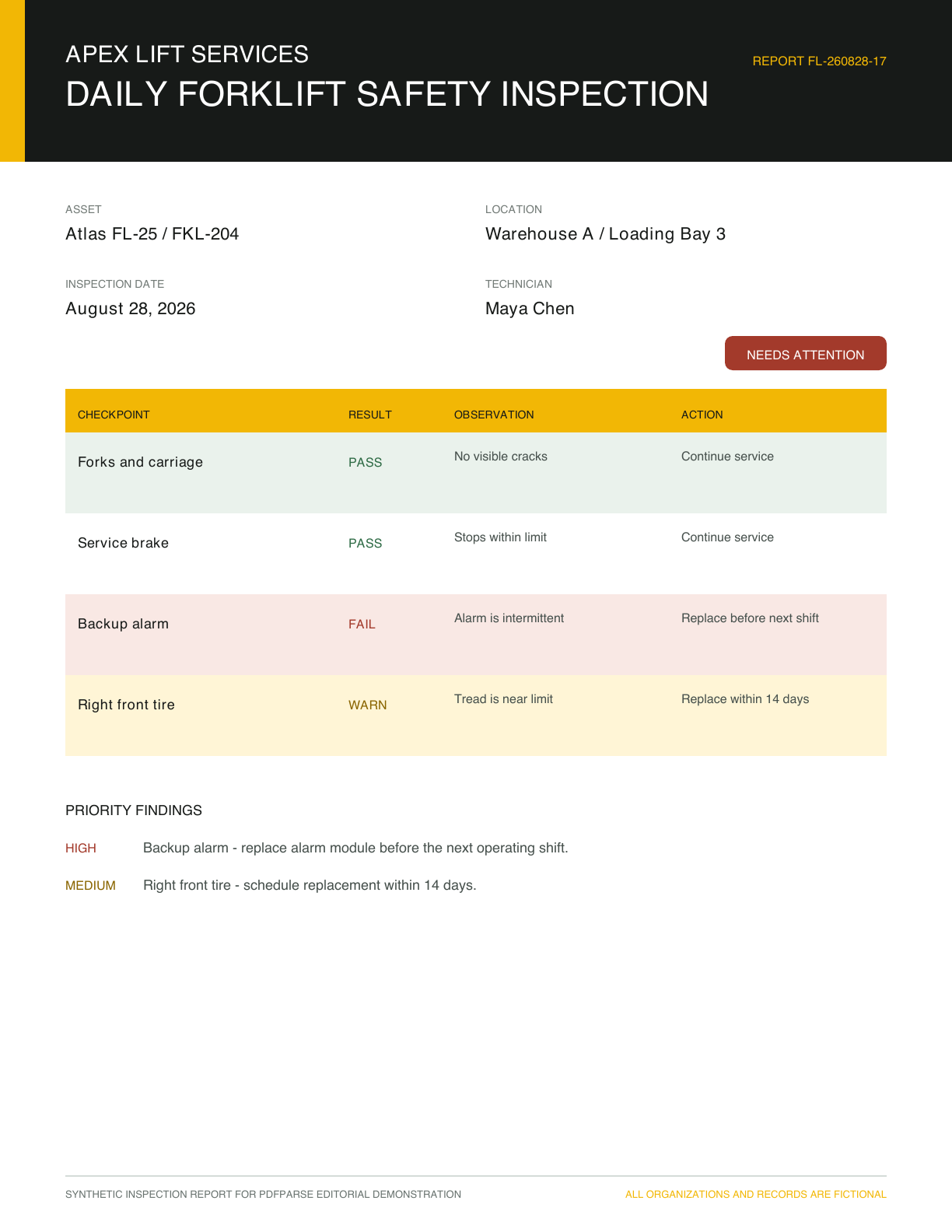
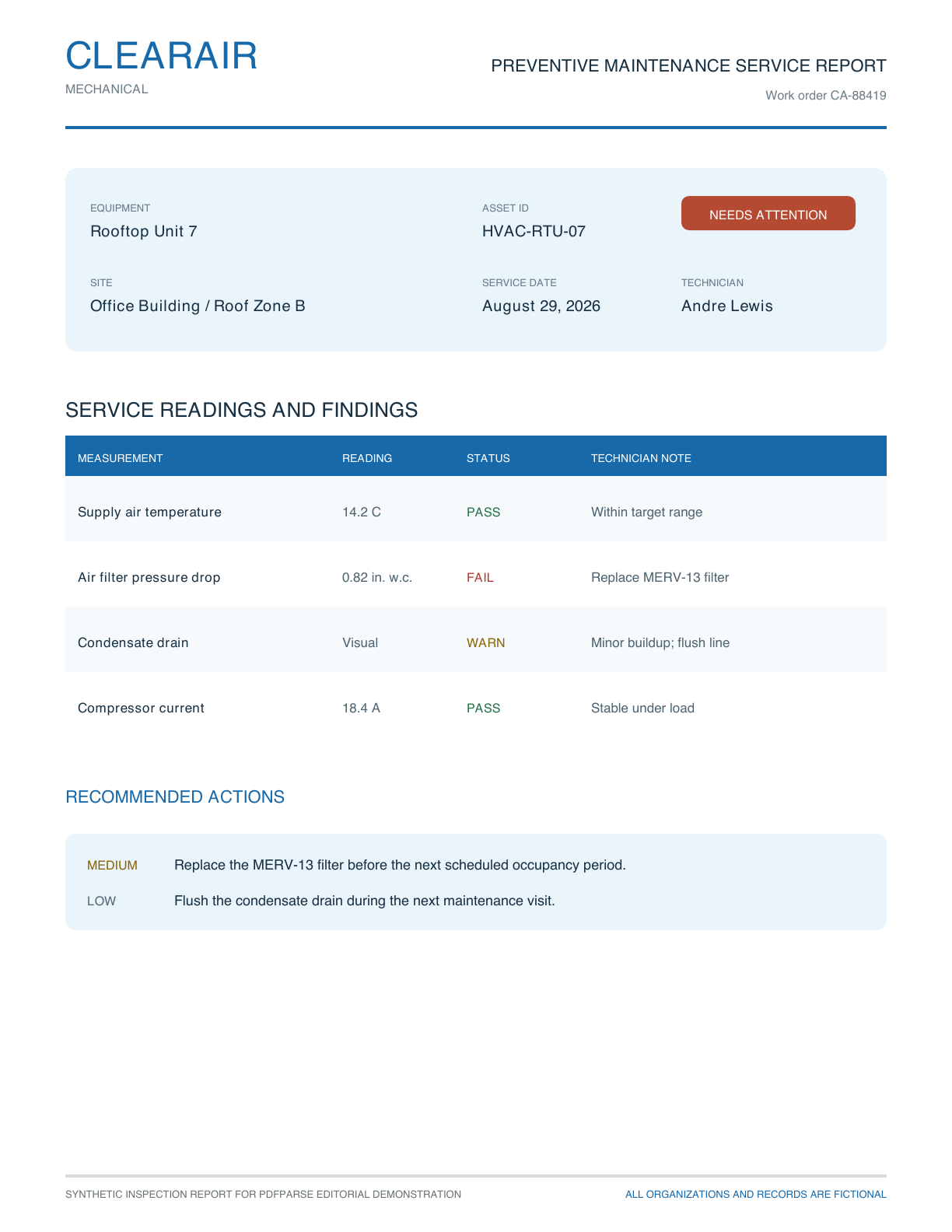
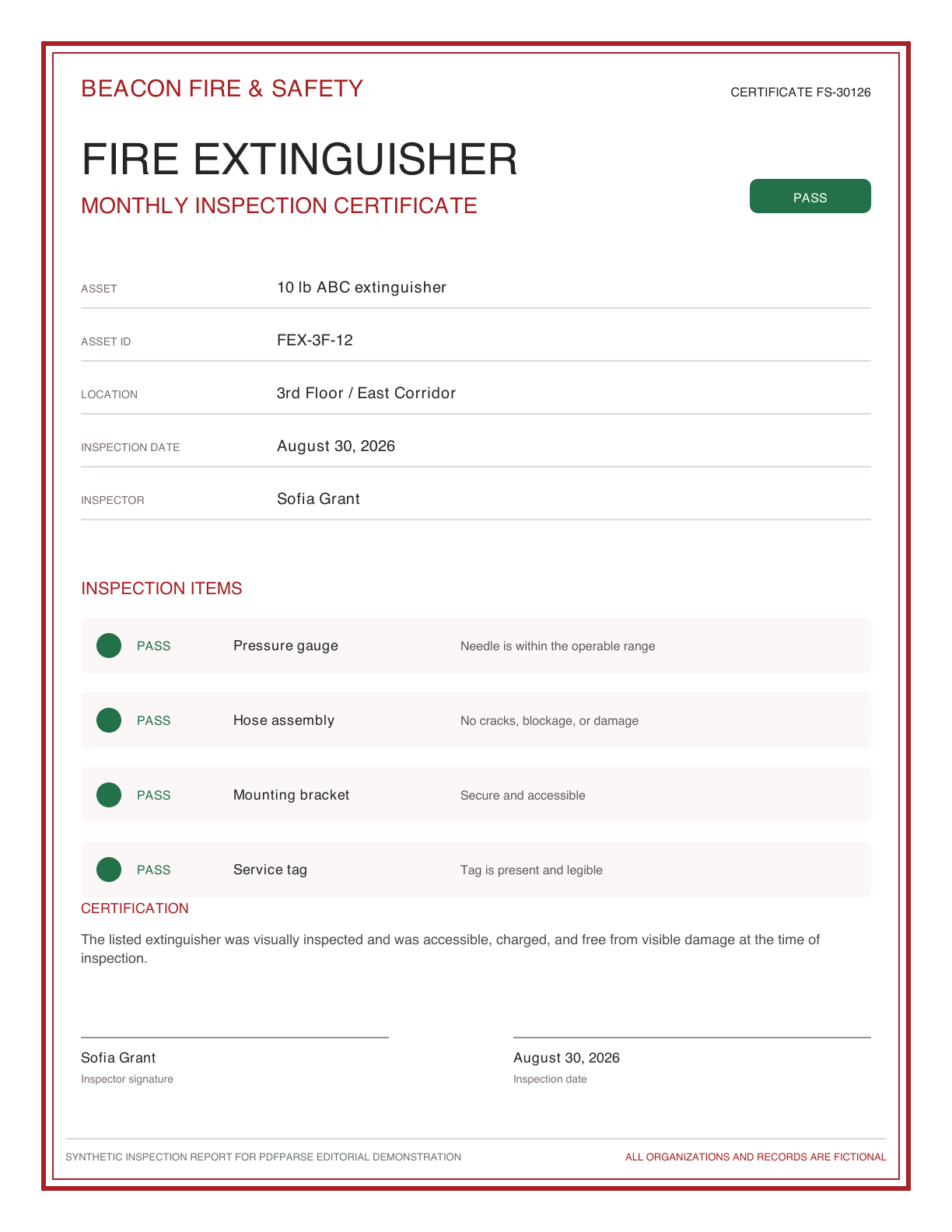
Three maintenance companies inspect three different kinds of equipment. One sends a forklift checklist, another sends an HVAC service report, and a third sends a fire-extinguisher certificate.
The documents look nothing alike. They still describe the same basic event: a technician inspected an asset at a location, recorded an overall status, and reported individual findings.
That shared meaning is enough to turn the PDFs into consistent SQL tables.
Open the complete synthetic PDFs: forklift inspection, HVAC service report, and fire-extinguisher certificate.
Start with meaning, not page position
The same field can appear under different labels. The forklift document says Inspection date, the HVAC report says Service date, and the certificate uses Inspection date again. These all belong in one inspection_date column.
The same applies to people and status. Technician and Inspector can map to technician; Needs attention and Pass can map to a controlled overall_status value.
Page coordinates are not the schema. The schema represents what the information means after it leaves the PDF.
| Standard column | Forklift report | HVAC report | Fire certificate |
|---|---|---|---|
asset_id | FKL-204 | HVAC-RTU-07 | FEX-3F-12 |
asset_name | Atlas FL-25 | Rooftop Unit 7 | 10 lb ABC extinguisher |
inspection_date | Inspection date | Service date | Inspection date |
technician | Technician | Technician | Inspector |
overall_status | Needs attention | Needs attention | Pass |
Separate the inspection from its findings
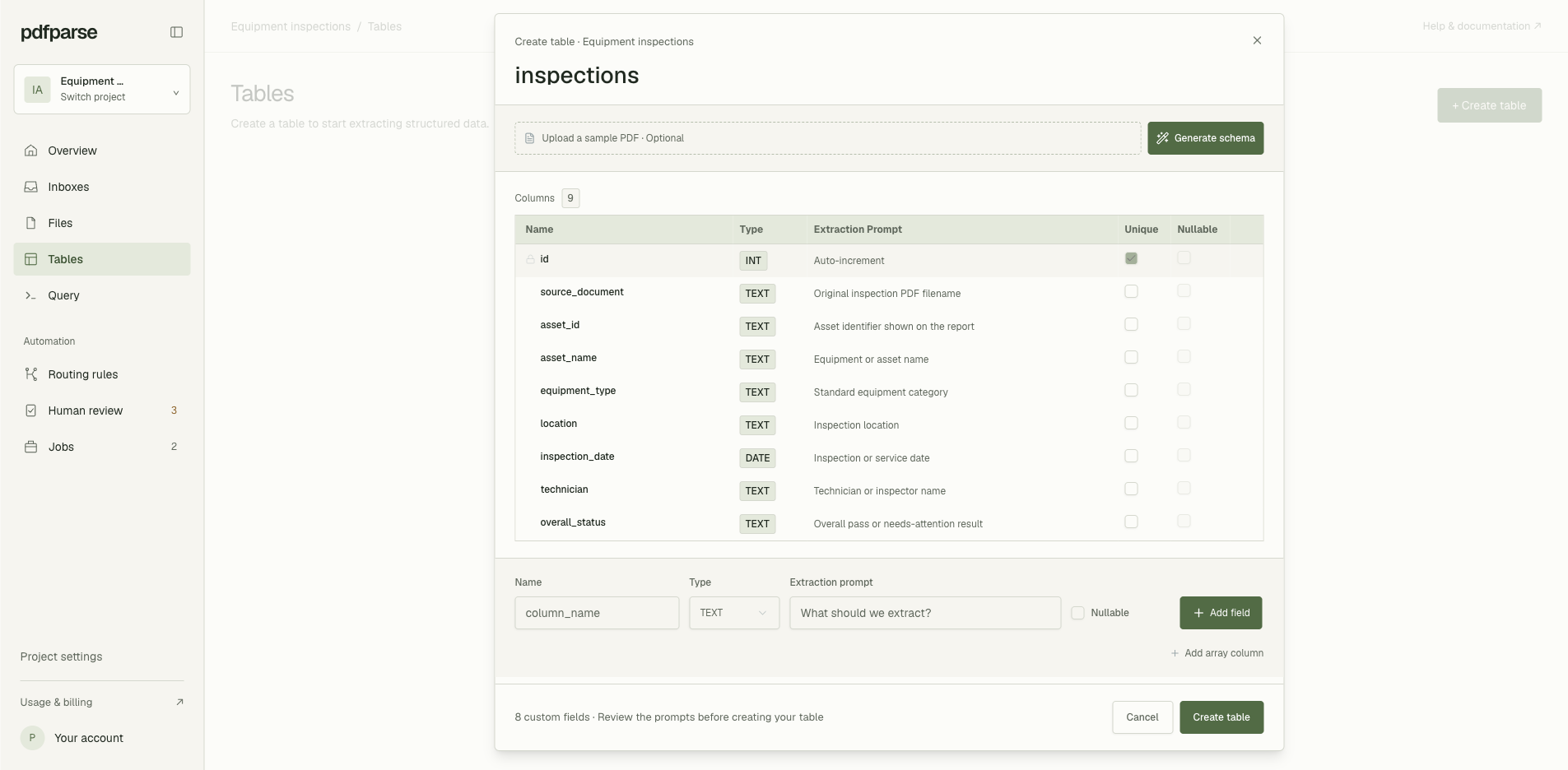
Each PDF describes one inspection, so its shared fields belong in an inspections table. The checklist items and service readings repeat within each document, so they belong in a related findings table.
Create the parent table first and describe what each column should capture. inspection_date uses PdfParse's DATE type, while identifiers, names, locations, and normalized status values use text columns.
Then add findings as a child table. PdfParse automatically includes its own row ID and the internal_fk_inspections_id relationship back to the parent inspection, so each extracted component result stays connected to the source report.
Process every report with the same schema
Open Manage Files for inspections and upload the forklift, HVAC, and fire-safety PDFs. When the files are ready, select all three and choose Process Selected.
Each document is processed against the same parent and child table definitions. You do not need a separate template for each page layout: the extraction prompts describe the meaning of each field, while the schema keeps the returned names, types, and relationships consistent.
Start with a representative sample before processing a larger archive. Include the most unusual layout in that first batch, then compare its extracted values and findings with the source PDF. If the shared schema cannot describe an important field without ambiguity, refine the column prompt before continuing.
The PDFs become standardized inspection rows
After extraction, one row represents each source document:
asset_id | asset_name | equipment_type | location | inspection_date | technician | overall_status |
|---|---|---|---|---|---|---|
| FKL-204 | Atlas FL-25 | Forklift | Warehouse A / Loading Bay 3 | 2026-08-28 | Maya Chen | needs_attention |
| HVAC-RTU-07 | Rooftop Unit 7 | HVAC | Office Building / Roof Zone B | 2026-08-29 | Andre Lewis | needs_attention |
| FEX-3F-12 | 10 lb ABC extinguisher | Fire extinguisher | 3rd Floor / East Corridor | 2026-08-30 | Sofia Grant | pass |
The repeating rows retain their relationship to the inspection that produced them. The four non-passing findings are:
asset_id | component | result | priority | recommended_action |
|---|---|---|---|---|
| FKL-204 | Backup alarm | fail | high | Replace alarm module before next shift |
| FKL-204 | Right front tire | warn | medium | Schedule tire replacement within 14 days |
| HVAC-RTU-07 | Air filter pressure drop | fail | medium | Replace MERV-13 filter |
| HVAC-RTU-07 | Condensate drain | warn | low | Flush condensate drain line |
The passing fire-extinguisher items are still stored as findings. They simply do not appear in this exception-focused view.
Query maintenance work across every report
Once the data is in related tables, the source layout no longer controls how the team reviews it. One query can find every warning or failure:
That result can drive a maintenance queue, a spreadsheet export, or a downstream reporting process without someone opening each PDF and copying its terminology by hand.
Where PdfParse fits
In PdfParse, you define the reusable inspection fields once and add findings as a child table. A batch of reports can then produce the same parent and child columns even when the suppliers, equipment types, page designs, and field labels change.
The important decision happens before extraction: choose the information your team needs to compare, then model that information as columns and related rows. The PDFs remain available as source documents while the extracted dataset becomes usable with SQL.
For the storage decision behind this model, read CSV vs JSON vs SQLite for PDF Extraction. To see the relational workflow and run a live SQL demo, explore PDF to SQLite.