Credit card statements

Credit card statement parser for clean transaction data

Turn digital, scanned, and authorized password-protected credit card statements into a statement record and linked transaction rows you can review and export.

From statement pages to connected rows

Review every transaction beside its statement

Product capture · public sample statement
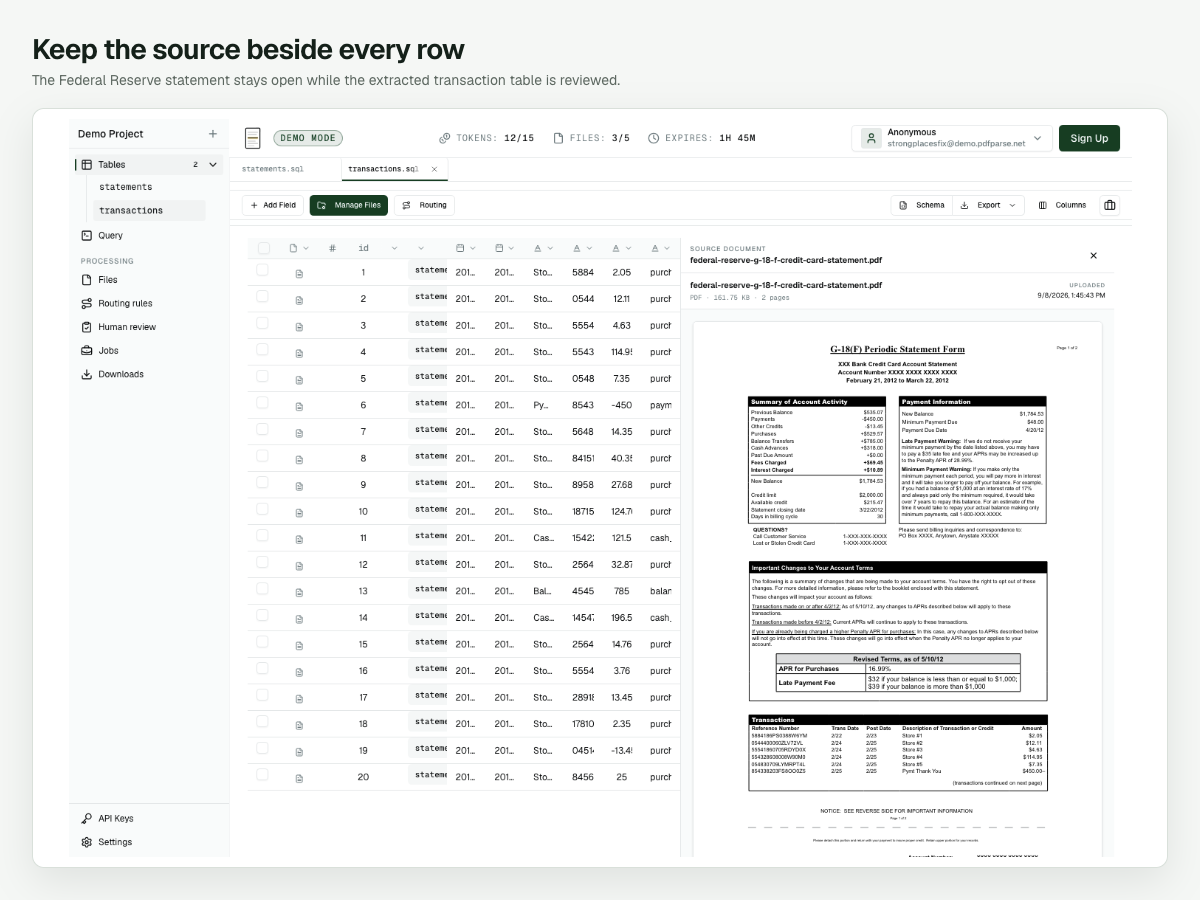
PdfParse transactions table beside page one of the Federal Reserve G-18(F) sample credit card statement, with dates, descriptions, reference numbers, amounts, and transaction types.
Each extracted transaction stays linked to its statement and source PDF, so dates, amounts, and signs can be checked before export.

Built for card statements

Keep balances and transactions in context

01

Define the statement schema.

Choose the summary fields, transaction columns, and the relationship between them. The same schema runs across issuers and statement layouts.

02

Split combined PDFs.

When one PDF holds several cards or several months, a logical splitter separates the sections so each statement gets its own record.

03

Receive statements by email.

Give the project an inbox address and forward monthly statements with the PDF attached. Each one is processed into the same tables.

04

Review against the source.

Open the original statement beside the rows to confirm payments, credits, and reversals before you export CSV, JSON, or SQLite.

How it works

How to parse a credit card statement

  1. 01

    Create a statements table

    Add one column for each value that appears once per statement: issuer, card last 4, statement period, previous balance, new balance, minimum payment, and payment due date.

  2. 02

    Link a transactions child table

    Put the repeating ledger in its own table with transaction date, posting date, description, amount, and merchant or category. Each row keeps a reference to the statement it came from.

  3. 03

    Upload or email your statements

    Upload PDFs in the dashboard, or forward monthly statement emails with the PDF attached to a project inbox. A splitter separates PDFs that combine several cards or months.

  4. 04

    Review, then export

    Check the rows beside the source PDF, correct anything that needs judgment, and export the reviewed tables as CSV, JSON, or SQLite.

Fields to extract

One statement. A linked table of transactions.

statements

One row per statement.

issuer
The card issuer or bank named on the statement.
card_last4
The last four digits of the card number.
period_start, period_end
The statement or billing period.
previous_balance
The balance carried in from the last statement.
new_balance
The balance at the statement closing date.
minimum_payment
The minimum payment due.
payment_due_date
The date the payment is due.

transactions

One row per ledger entry, linked by statement_id.

transaction_date
The date the purchase, payment, or fee occurred.
posting_date
The date the entry posted to the account.
description
The ledger description as printed.
amount
A signed amount, so payments and credits stay negative.
merchant, category
The merchant name, plus a category when the issuer prints one.

Common questions

Before you parse your first statement

What is a credit card statement parser?
A credit card statement parser reads a statement PDF and returns structured data: the statement summary as one record and each transaction as its own row. PdfParse uses the tables you define, so the output keeps the same columns from one issuer to the next.
How do I parse a credit card statement?
Create a statements table and a linked transactions child table, process a representative statement, check the rows beside the source PDF, and export them. The step-by-step walkthrough uses two public sample statements.
Does it work for other account statements?
Yes. The same approach works as a general statement parser for bank, savings, and other account statements. For checking accounts with separate debit and credit columns, start from the bank statement parser.
Can one PDF contain several cards or several months?
Yes. A logical splitter groups the pages of a combined PDF into sections, so each card or month becomes its own statement row with its own transactions. Uncertain boundaries can be sent to human review.
Can I send monthly statements by email?
Yes. Forward statement emails with the PDF attached to a project inbox address. The inbox processes attached PDFs; it does not sign in to card issuer portals or follow download links.
Does it support scanned or password-protected statements?
Yes. You can process scanned and digital PDFs, and PdfParse supports authorized password-protected processing with credentials supplied for the document. Check dates, decimal points, and negative signs closely on scans.
Which export formats are available?
Export reviewed statements and transactions as CSV, JSON, or SQLite, keeping the statement identifier so the rows can be joined again later.

Turn the next card statement into data you can trust.

Define the schema, process one representative statement, and review the linked transactions before you scale the workflow.

Get started with PdfParse ↗